Never miss a deadline, notice period or expired document again.
Deadlynx watches your subscriptions, contracts, documents and expiry dates, and reminds you in time. Scan an invoice or contract, check what was recognised, done. No account, no server storing your data.
- Data stays on your device
- No trackers or ads
- Works on iPhone, Android, PC and Mac
Features
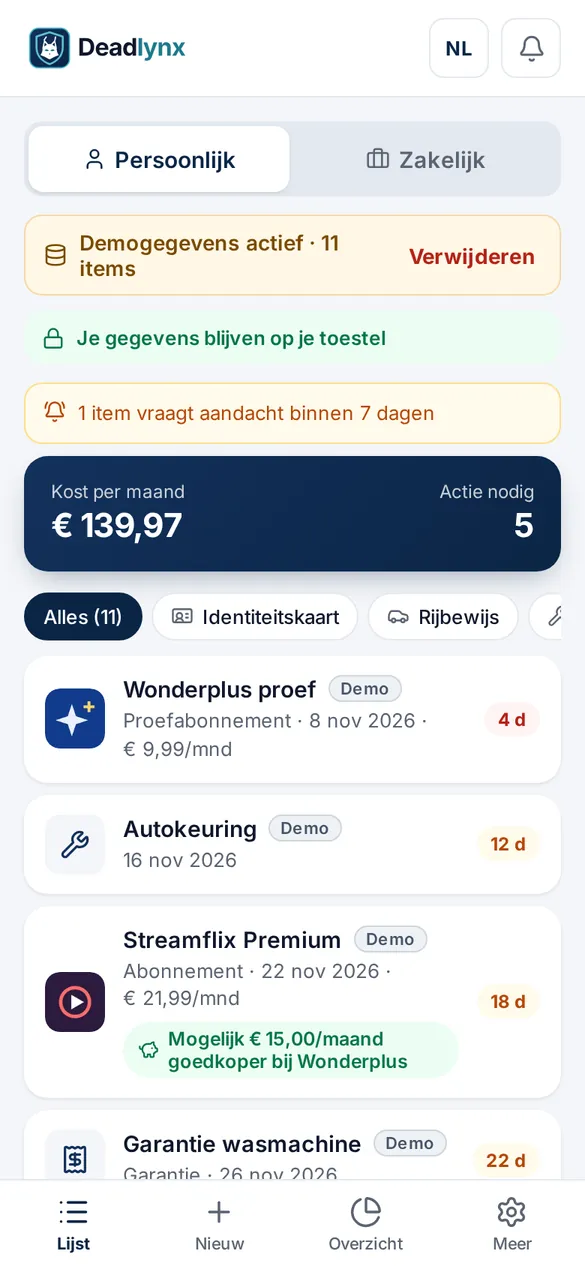
Everything that expires, renews or needs paying – in one place.
From your streaming subscription to your ID card and business contracts: Deadlynx works out when to cancel, renew or pay.
Timely reminders
Alerts before the expiry date and before your notice period ends, so you still have a choice.
Scan documents
Photo or PDF of an invoice, policy or contract: on-device text recognition fills in the fields.
‘View source’
Every recognised value is highlighted on the original document. You confirm; nothing is saved blindly.
Mail and bank statements
Connect your mailbox or import statements (PDF, CSV, CODA) to find recurring costs automatically.
Sync via your own cloud
With Plus, sync between your own devices through your own OneDrive or Google Drive – not our servers.
Cost overview
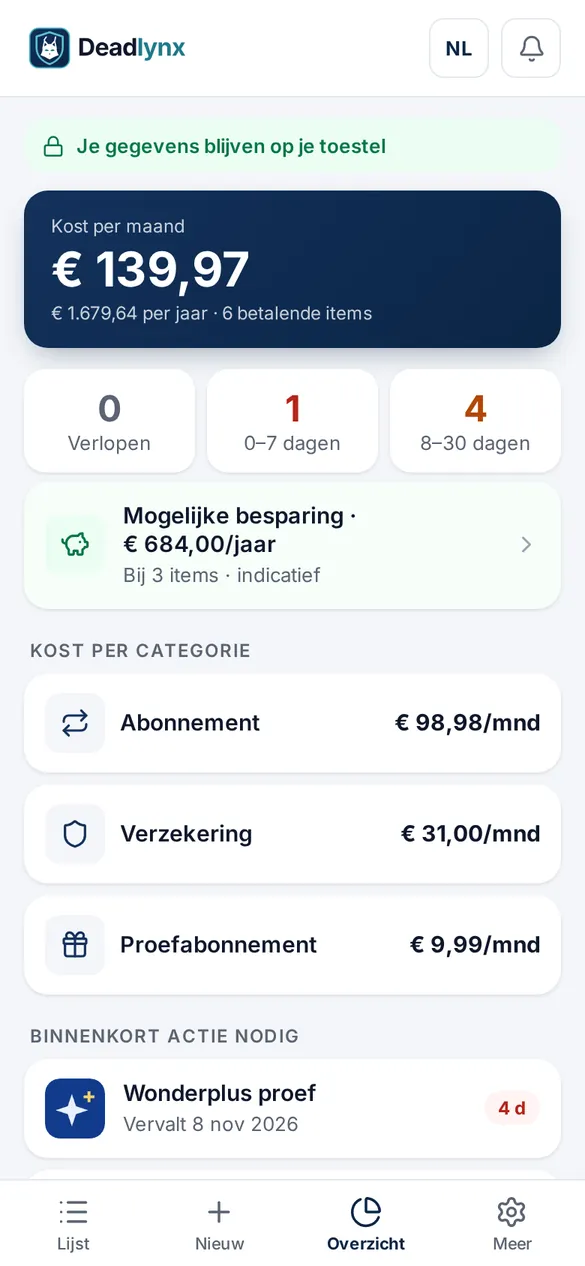
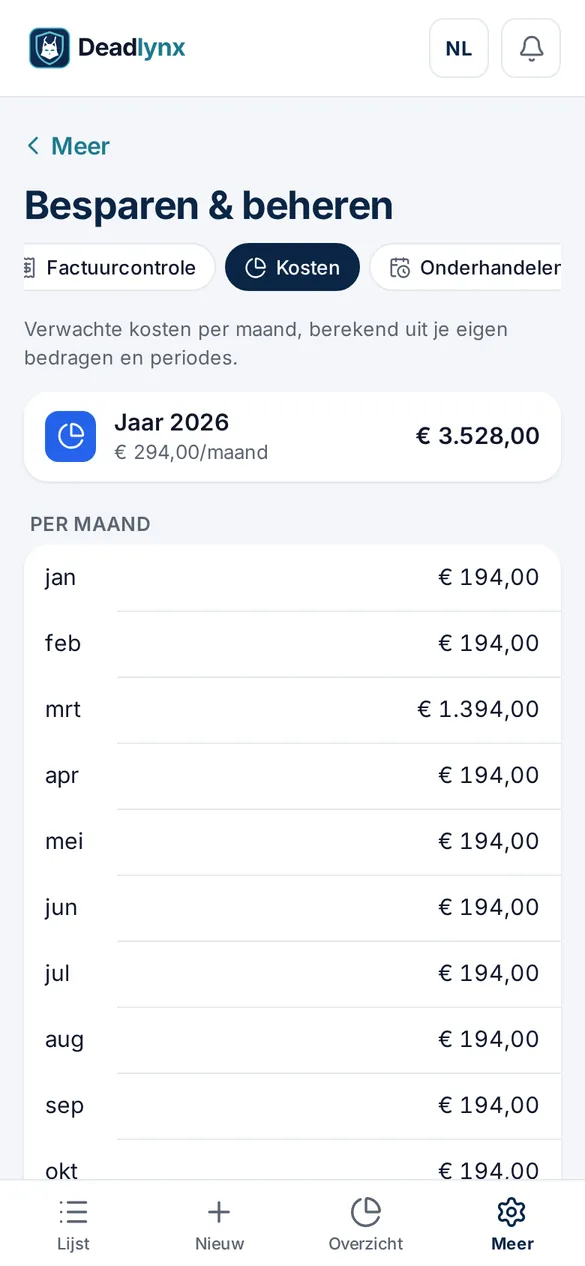
See what you spend per month and year, per category, with actions that need attention soon.
Scan & review
Scan a document, check, save.
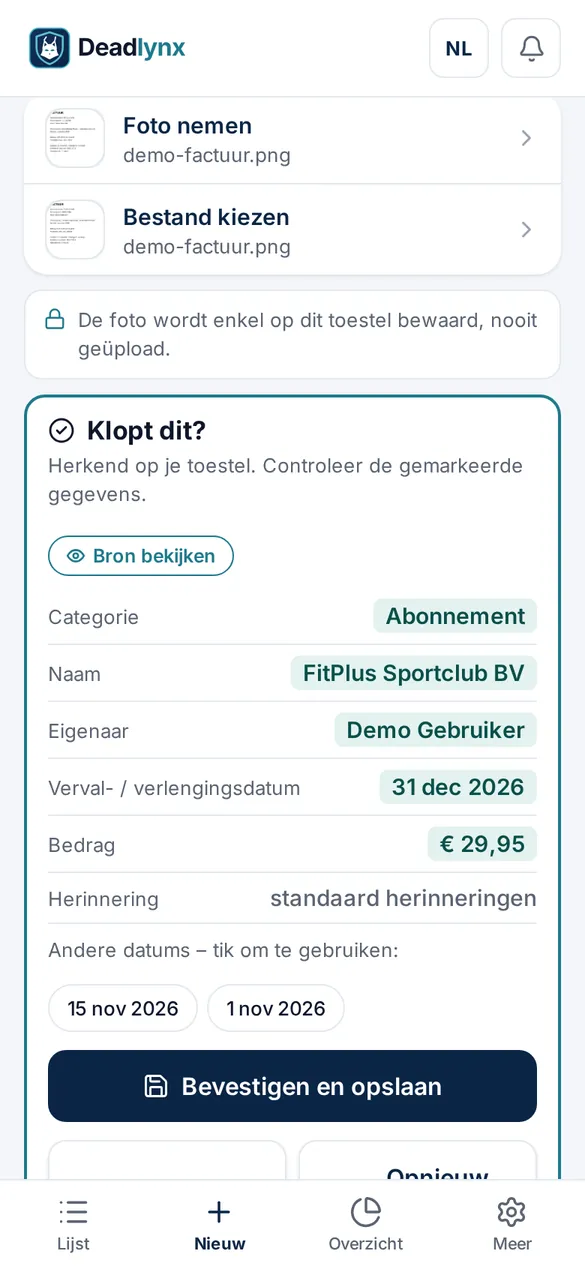
Deadlynx reads name, amount, owner and expiry date from your document – entirely on your device. The ‘Is this right?’ card shows where every value came from.
- Text recognition (OCR) runs locally; the photo is never uploaded
- ‘View source’ highlights the recognised fields on the document
- Pick other detected dates with one tap
- For identity documents only type, expiry date and country are kept
Overview & savings
See what you pay – and where to do better.
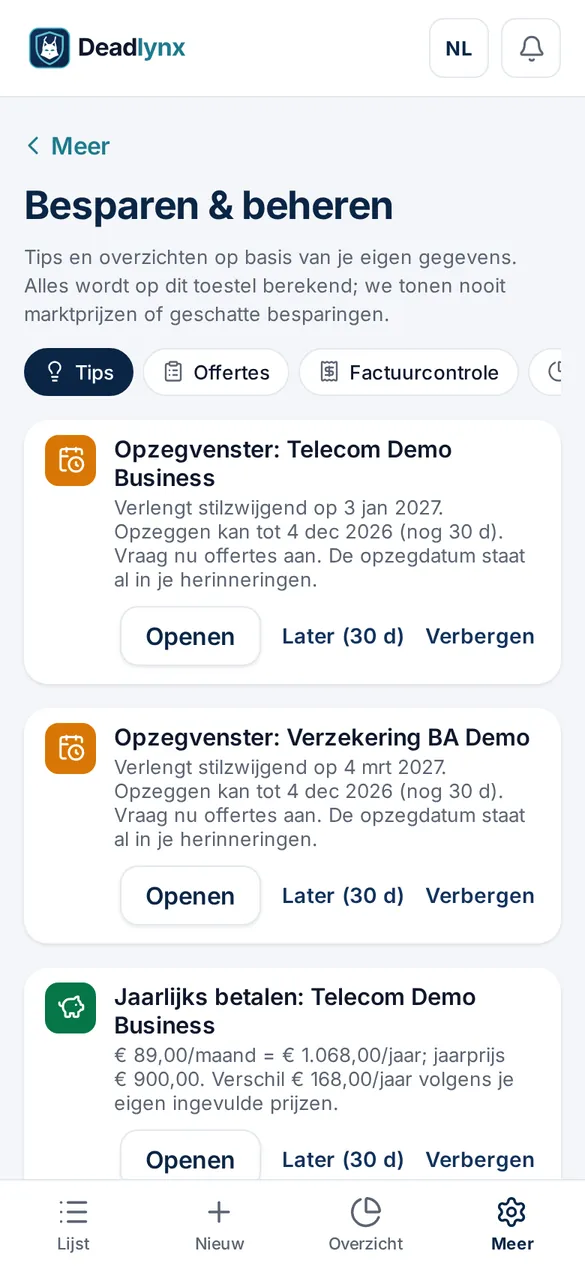
The overview adds up your fixed costs and shows what needs action soon. Tips are calculated from your own data, on your device.
- Cost per month and year, per category
- Warning before a cancellation window closes
- Savings tips based on the prices you entered
- Clear split between personal and business
Privacy by design
Your data is yours. Literally.
Deadlynx is built without a server for user data. There is nothing to leak, sell or analyse.
Everything on your device
Your items, documents and settings are stored encrypted (AES-256) on your own device. No account needed.
PIN lock
Optional PIN or Face ID / fingerprint, plus a recovery code only you know.
No trackers, no ads
No analytics, no advertising IDs, no profiling. Export or erase everything at any time.
Sync (Plus) runs through your own OneDrive or Google Drive. Read the full privacy policy.
How it works
Sorted in three steps.
No app store needed: Deadlynx is a web app you add to your home screen or desktop.
Open and install
Open deadlynx.com and add the app to your home screen or desktop. No account or email address needed.
Add or scan
Scan an invoice or contract, connect your mailbox, import statements or enter details manually.
Get reminded in time
Deadlynx reminds you before expiry dates and notice periods and shows where you can save.
Business
Save & manage for freelancers and SMEs.
A separate business profile with tools to keep contracts, quotes and costs sharp – still stored locally on your device.
- Savings tips
- Warning before the cancellation window
- Price-increase detection
- Compare quotes side by side
- Invoice check
- Cost overview with CSV/PDF export
- Budgets
- Negotiation checklist and letter templates
Pricing
Simple, fair pricing.
Start for free. Try the paid features free for 14 days.
Free
€ 0
forever
- Up to 10 items and 5 documents
- Reminders
- Scan documents and mail
- Export and back up your data
Plus
€ 3.99/month
or € 34.99 per year
- Unlimited items and documents
- Sync between your own devices (OneDrive / Google Drive)
- Savings tips
- Backup reminder
Business
€ 12/month
or € 120 per year
- Everything in Plus
- Business profile with ‘Save & manage’
- Quotes, contract register and invoice check
- Cost overview and accountant export (CSV/PDF)
- 3 users included
- Extra users: +€ 4/month or € 40/year per user Coming soon
Prices in euro, billed monthly or yearly and renewed until you cancel. Checkout is handled by Stripe; see the terms for VAT and invoicing. Reading, editing, exporting and deleting your own data is never paywalled.
Install
Install Deadlynx on any device.
Deadlynx is a Progressive Web App: you install it straight from your browser. It then opens like a regular app, offline too.
PC or Mac
- Open deadlynx.com in Chrome or Edge.
- Click the install icon in the address bar (or menu ⋮ → Install app).
- Safari on Mac: File → Add to Dock.
iPhone and iPad
- Open deadlynx.com in Safari.
- Tap the Share button (square with arrow).
- Choose Add to Home Screen and tap Add.
Android
- Open deadlynx.com in Chrome.
- Tap Install app in the prompt, or menu ⋮ → Install app.
- The app appears with your other apps.
There is no App Store or Google Play app yet. Until then, install Deadlynx from your browser – with the same features.
FAQ
Frequently asked questions
Where is my data stored?
Only on your own device, encrypted. Deadlynx has no server storing your items or documents. With Plus you can sync through your own OneDrive or Google Drive.
Do I need an account?
No. Open the app and start right away. For a paid plan only the payment is handled by a payment provider.
Is my scanned document uploaded?
No. Text recognition runs on your device. For identity documents the photo is not kept; only type, expiry date and country.
Does Deadlynx work with Gmail?
Gmail support is coming soon. You can already connect a mailbox or import invoices and statements.
Is there an App Store or Google Play app?
Not yet. Install Deadlynx as a web app from Safari, Chrome or Edge. See Install.
What if I lose my device?
Make an encrypted backup (export) or use sync via your own cloud (Plus). The recovery code reopens your vault if you forget your PIN.
Can I cancel?
Yes, any time. Your data stays yours: reading, exporting and deleting always work, including on the free plan.